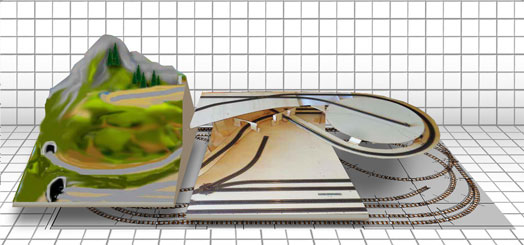
Digital or Analogue Model Railway Layout?
During the design phase, it is best to decide immediately whether the layout will be set up as Analogue (traditional trains) or Digital.
You can also choose to postpone the decision, or build a mixed Analogue / Digital layout. In any case, some choices must be made right away because they affect the assembly of the tracks.
Digital Model Railway Layout
A Digital Model Railway Layout allows, compared to traditional Analogue, numerous variations… of our enjoyment.
In fact, it is possible to simplify the control of trains by commanding them directly from the command station, without the need for track isolation block sectioning and complicated electrical wiring on the tracks.
It is also easy to bring locomotives to life by controlling lights, sounds, smoke generators, braking, etc…..
If, on the other hand, we want to make our lives a bit more complicated, we can use a digital system to build a layout that is completely controlled automatically, for example by a computer connected to the digital center. In this case, it requires a bit of study, but very refined results can be achieved, which would be unthinkable with traditional analogue systems.
Introduction to Digital Model Railroading
Verifica il prezzo su Amazon e Ordina un avvitatore elettrico consigliato.
ANALOGUE OR DIGITAL?: A FUNDAMENTAL CHOICE
Model trains can provide a lot of fun regardless of whether they are controlled by a conventional transformer with speed control or by digital commands.
The conventional method of model railroading operates, as is well known, with analogue technology. It provides endless possibilities for large and small track plans. At the same time, it has the advantage of being very robust and, especially for beginners, provides simple access to the operation of electric models.
It is neither outdated nor antiquated nor old-fashioned.
Digital technology is a bit more complicated since it encompasses the control of various components. Due to its potential complexity, it necessarily requires greater knowledge for its operation, as the functions of the locomotives as well as many other accessories can be controlled separately.
The fundamental advantage of digital technology is that it is possible to control multiple locomotives on the same track simultaneously. Furthermore, various accessory features can be commanded, such as lights, sounds, braking, and acceleration of digital locomotives.
Thanks to its wide range of control possibilities, digital technology offers enormous pleasure. You learn a lot, and if the track plan is complicated and there are many trains, you can use a computer to control everything automatically, which is not always so simple, but can be a fun challenge.
Our advice, as with many other things, is to start using digital by degrees.
An excellent starting point are the Starter Sets from Roco and Fleischmann, which use the most widespread standard technology (the DCC protocol) and have a contained cost.
Learning to use Digital with digital Starter Sets
As a beginning Starter Set, we propose the Roco / Fleischmann system based on MULTIMAUS and/or z21 Start, which already include INSTRUCTIONS IN ITALIAN inside the starter set.
Digital Layout with Automatic Control
In this brief note, we want to give some quick guidelines on using Digital to create a fully automated layout.
We mean a layout where train movement, signals, and turnouts follow a pre-set logic and practically ‘work by themselves’ or with limited human intervention.
Traditional Analogue Systems
Over the years, several complex systems or even simple accessories have been developed that allow automating train movements on an ‘analogue’ layout. This usually requires complex sectioning, meaning the division of tracks into parts powered independently, according to the basic principle that by controlling the current on a block section of track, I control the locomotive running along it.
If we then succeed, through feedback systems, infrared position detectors, or ‘reed’ switches, in knowing where the locomotives are, with some electronic equipment we can create the logic that controls turnouts, signals, etc., based on where the trains are located.
To give a banal example: to stop a locomotive, it is enough to cut power to the section where it is located.
Digital Systems
A widespread common mistake is to think that with a digital system one can easily create an automatic control system. … … it can certainly be done, but not that ‘easily’ !
Let’s take as an example the Uhlenbrock Intellibox II which is one of the most powerful digital command stations on the market, or the Roco Fleischmann black Z21.
With the black Z21 or the Intellibox, we can control everything equipped with a decoder (locomotives, turnouts, signals, etc…) but we do it ‘manually’, meaning by pressing the small buttons and turning the knobs:
“… The locomotive arrives, sounds its horn, brakes in the station, stops for x seconds, sounds its horn again, starts slowly and then accelerates….. if it is loco 3 we send it to the right,…. if it is loco 7 we send it to the left… and so on…..”
Can we do it automatically?
Inside the Z21 and the Intellibox you can program certain things, but it is not enough to manage the automation of an entire layout.
We can have a software do it, meaning via a PC connected to the Intellibox through the USB port or to the Z21 via Wi-Fi.
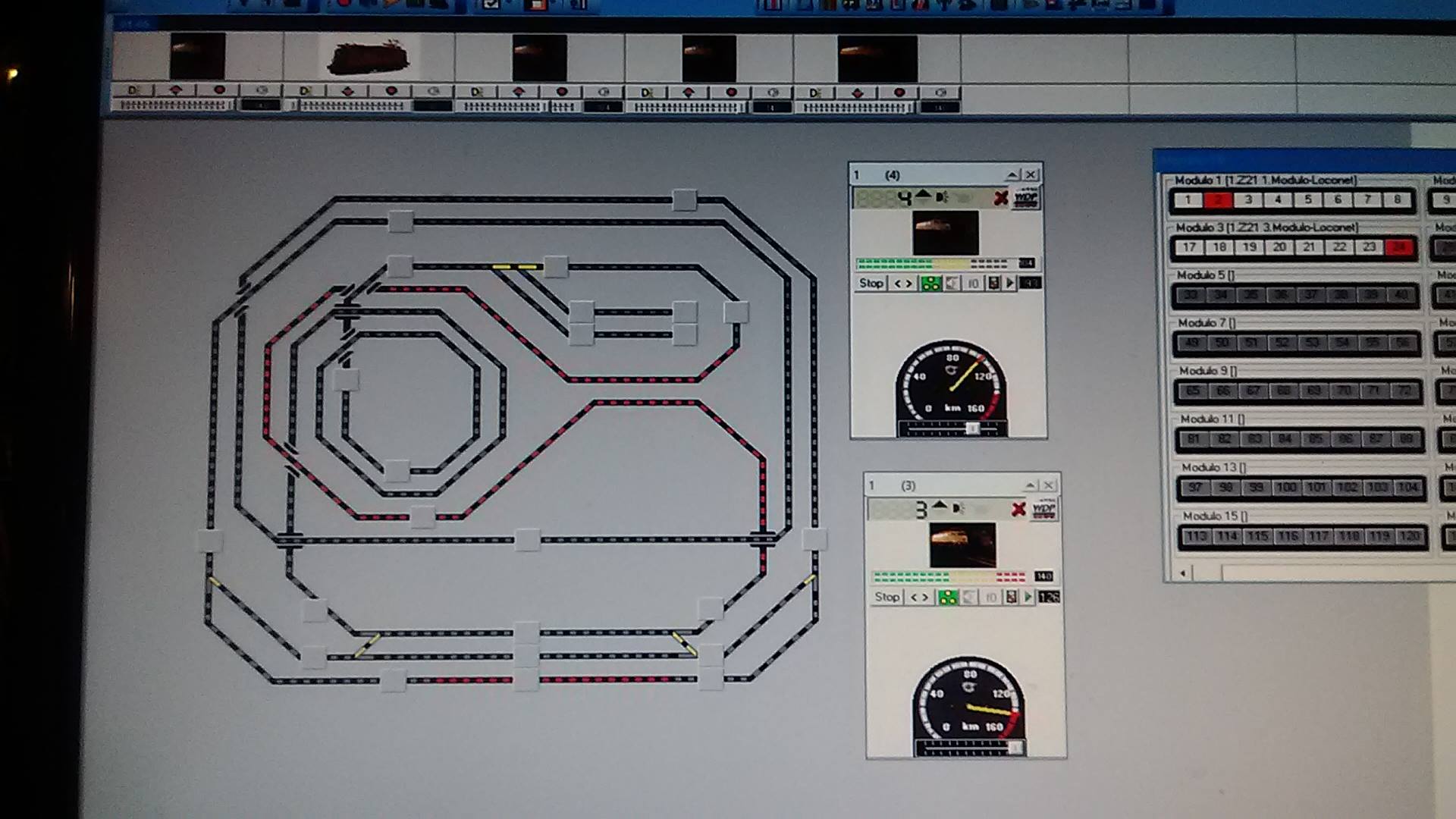
The Windigipet software, for instance, allows you to create ‘traffic rules’ for the layout and make decisions on how to command locomotives, turnouts, etc… In practice, it does what our brain does.
What the software (or rather the PC) lacks are eyes on the layout, namely, knowing if
….there is a loco on the track?
….and which loco it is?
To know this, the layout must be equipped with a combination of track occupancy detectors / feedback modules / loco identification systems.
In essence, with Digital, we need to create a system of this type:
The Z21/Intellibox commands locomotives, turnouts, etc..
The Software commands the Z21/Intellibox
What are the steps to create a fully automatic layout?
Equip the layout with turnout decoders and connect them to the Z21/Intellibox*
Equip the layout with locomotive occupancy detection systems and connect them to the Z21/Intellibox*
Learn how to command these elements ‘by hand’ using the Z21/Intellibox
Connect the Intellibox to a PC via USB / the Z21 via Wi-Fi
Install Windigipet on the PC (Windigipet 2015 in Italian) and set up the various digital components so that the software recognizes and can control them
Learn how to command the Z21/Intellibox from the PC keyboard, namely controlling locomotives, turnouts, etc., from the PC. For example, we can tell the locomotive to brake, whistle, slow down, etc., via PC instead of pressing the buttons on the Z21/Intellibox.
See on the PC how the various detectors ‘sense’ the presence of trains on the tracks equipped with occupancy detection
At this point, rules can be created that, based on the position of the trains, make decisions and actuate turnouts, signals, etc….
….we have created an automatically controlled layout!